One consolidated portfolio
Accounts from different banks and brokers, added up in one place.
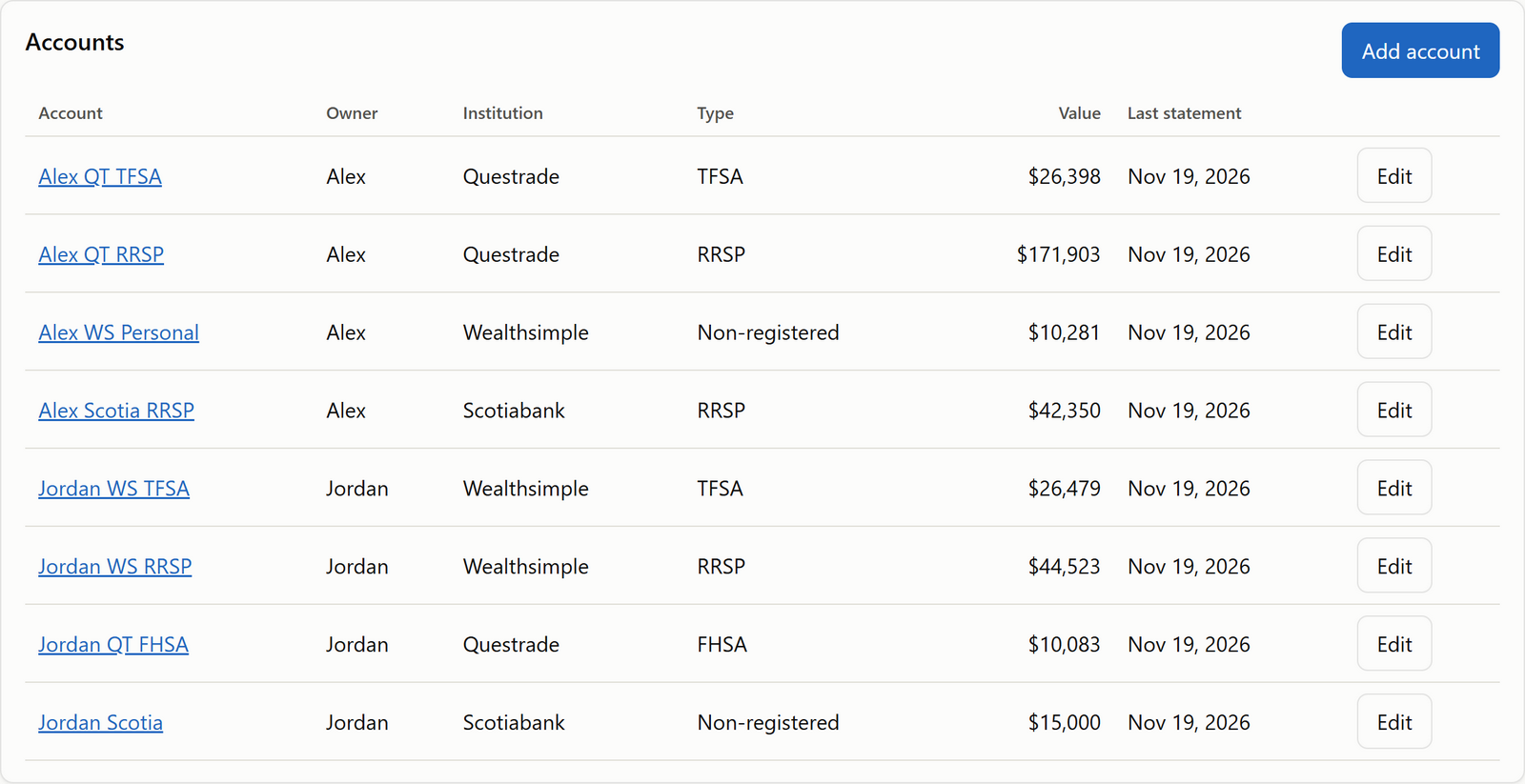
Bring your RRSPs, TFSAs, RRIFs, GICs, stocks and ETFs from every bank into one clear dashboard.
Many Canadians have investments spread across several institutions:
Each one has its own statement, its own website and its own login. Adding it all up is harder than it should be. FolioHarbour puts them side by side, so you see one total and what it's made of.
| Institution and account | Value |
|---|---|
| RBC RRSP | $185,000 |
| TD TFSA | $92,000 |
| Questrade | $76,000 |
| BMO RRIF | $214,000 |
| GICs | $85,000 |
These figures are made up to illustrate. Bank names are used only to describe common situations; FolioHarbour isn't affiliated with any bank.
Open a statement you downloaded from your bank or broker (CSV, Excel or PDF, or a photo of a paper one), or type your holdings in yourself.
Check each line against your statement. FolioHarbour points out numbers that don't add up, and nothing is saved until you confirm.
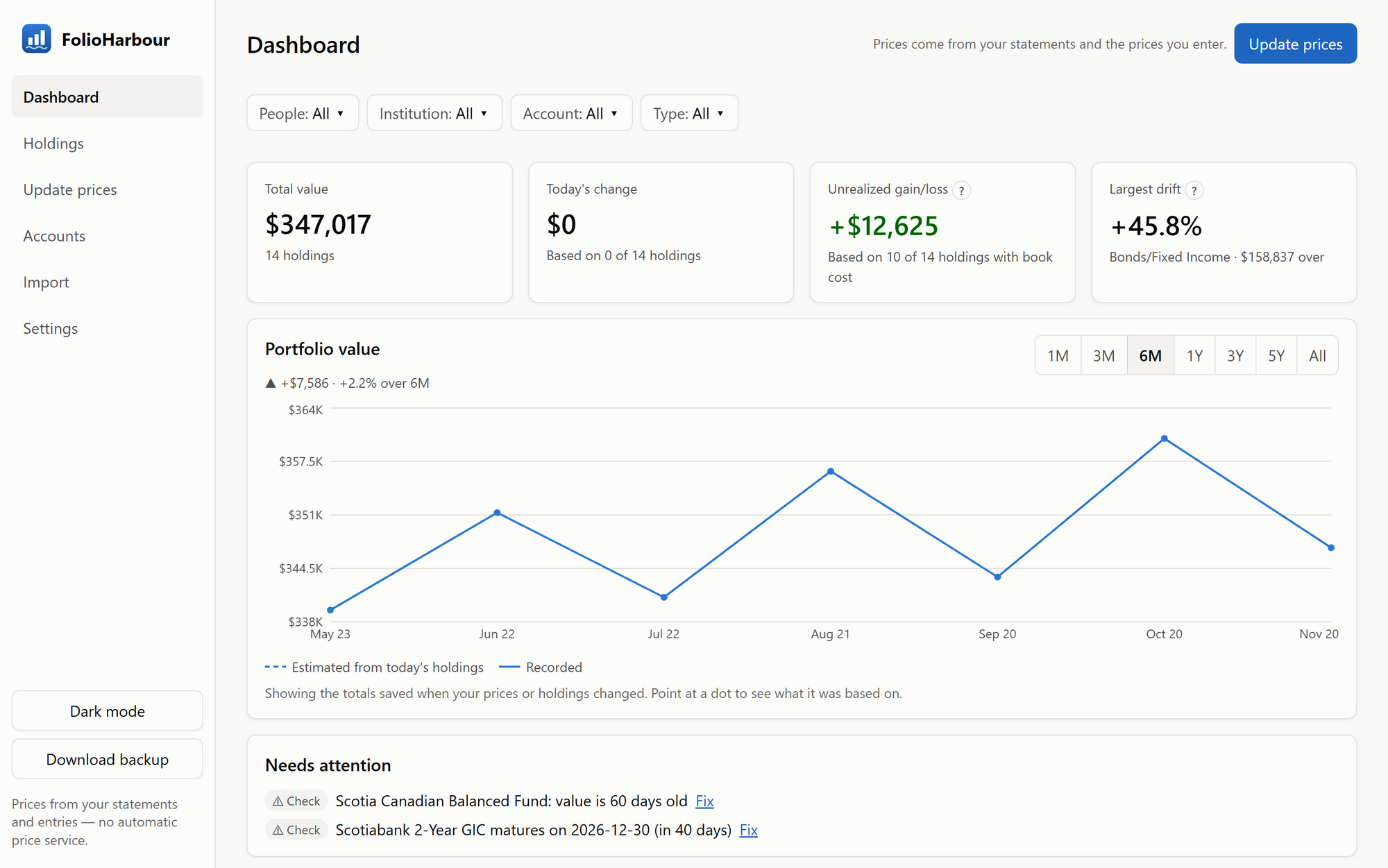
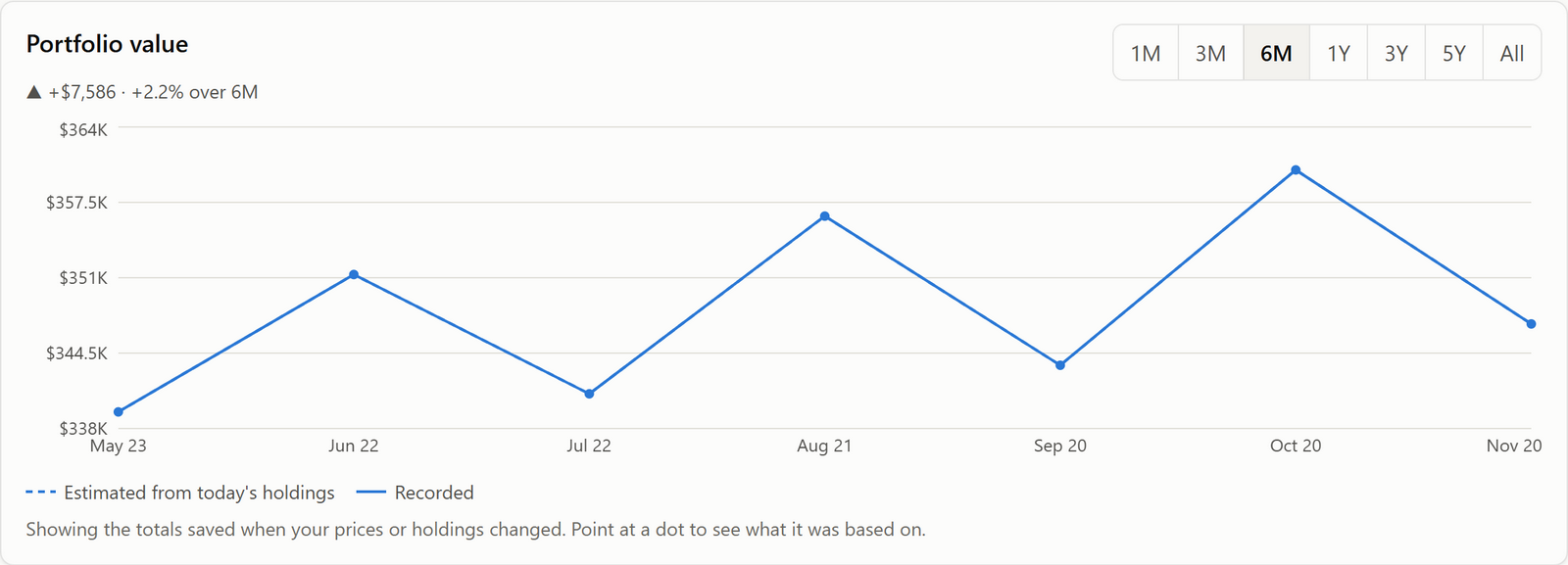
Your total, each account, how your money is split, and how the value has changed over time, all on one page.
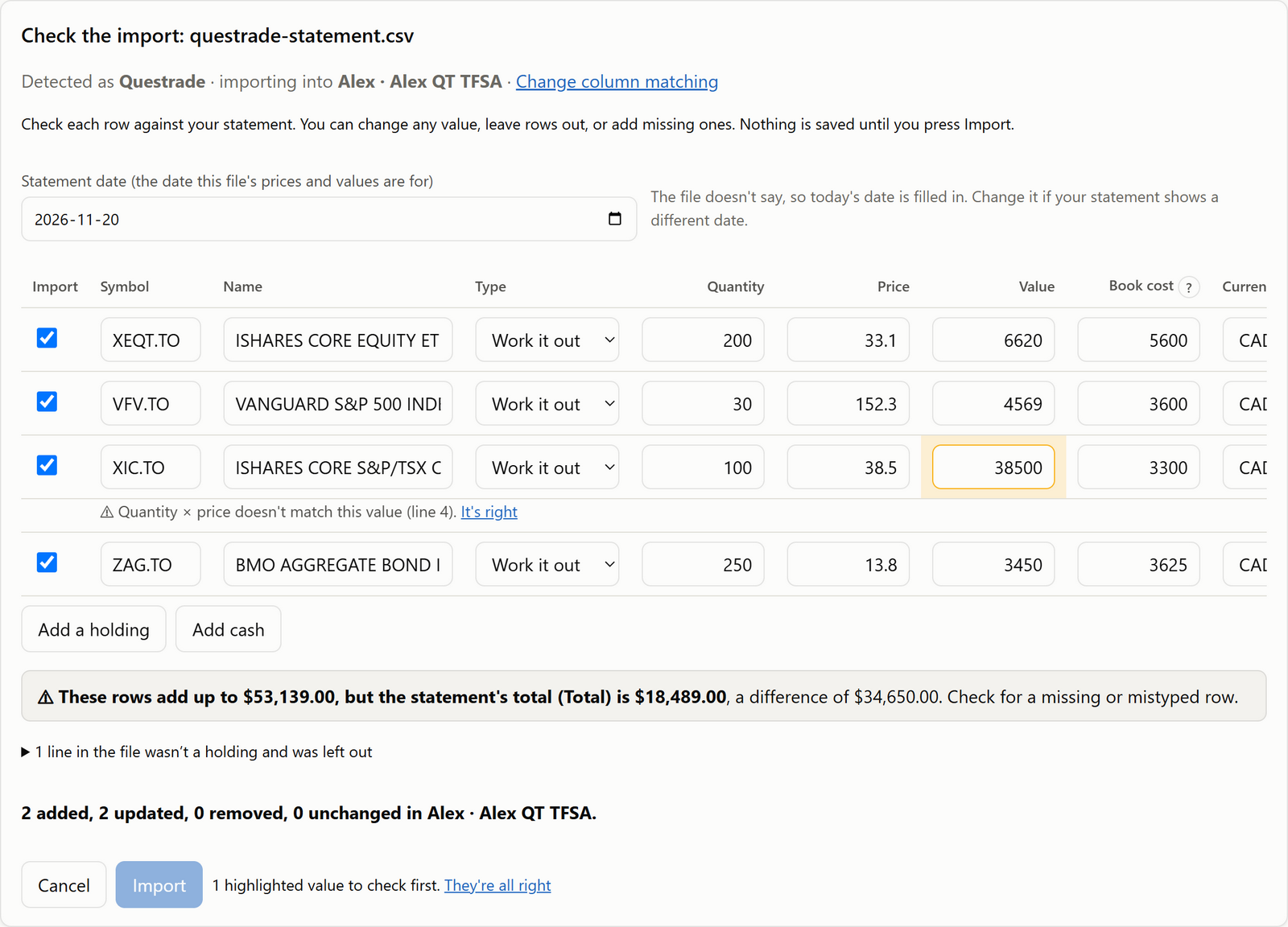
Step 2 in the app: a mistyped value is highlighted before anything is saved.
Accounts from different banks and brokers, added up in one place.
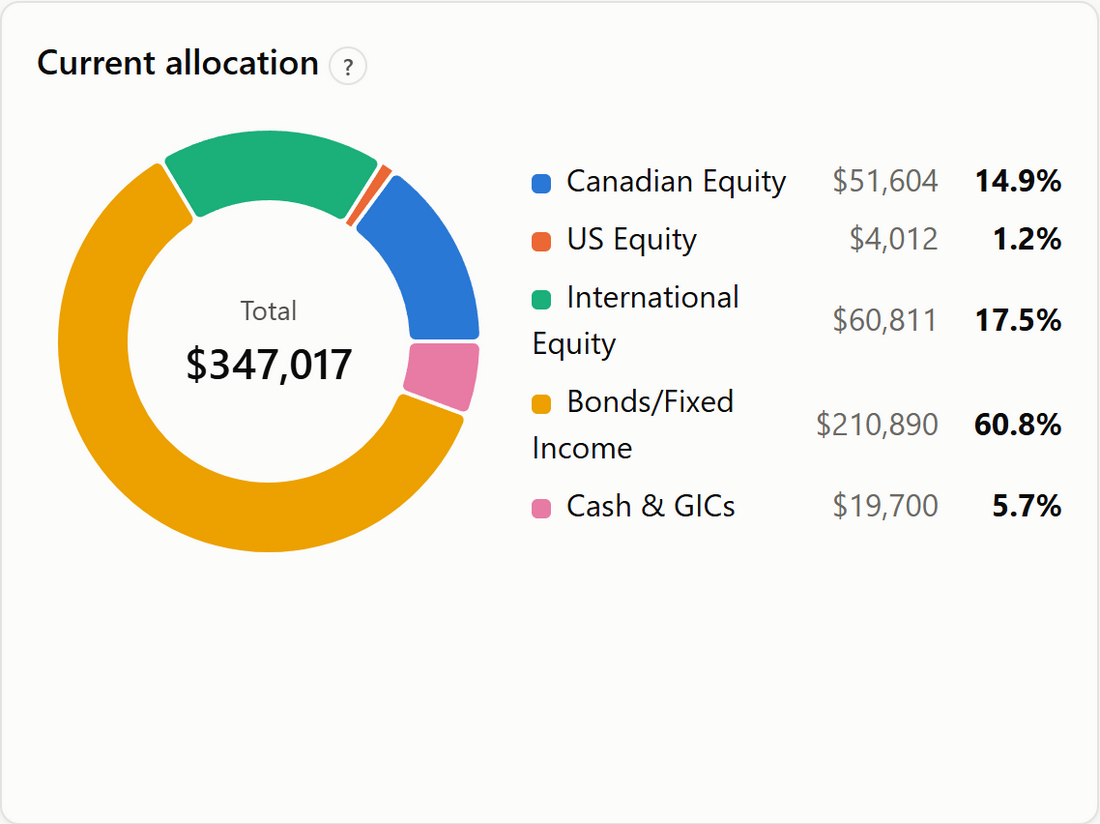
See how your money is split between Canadian, U.S. and international stocks, bonds, cash and GICs.
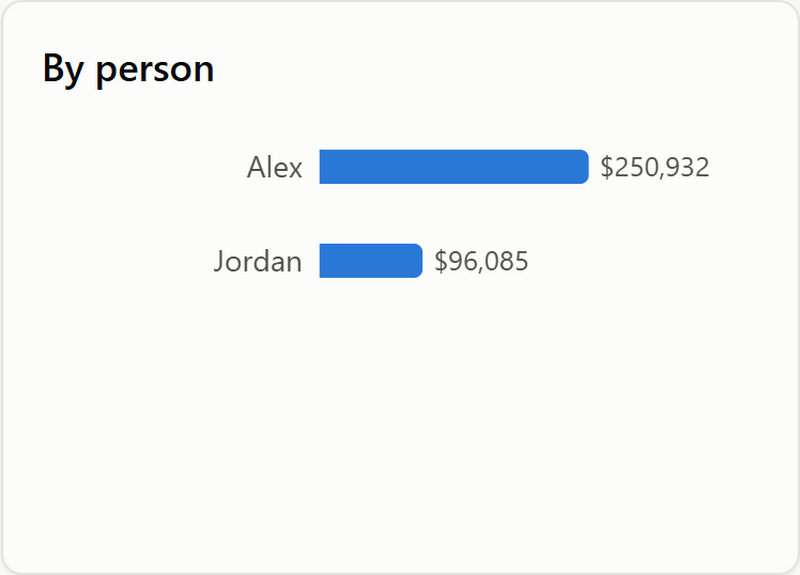
Add your spouse or partner and see each person's share and your combined total.
RRSPs, spousal RRSPs, TFSAs, RRIFs, LIRAs, LIFs, FHSAs, RESPs, non-registered accounts, GICs and cash, each labelled clearly.
Less time gathering statements and logging in. More time understanding what you own.
Each time you import a statement or update prices, the total is saved, so you can see how your portfolio has changed.
You don't give FolioHarbour your bank usernames or passwords. You choose what to import, and it stays on your computer.
FolioHarbour never connects to your bank. You import statements you've downloaded, or type your investments in.
There's no FolioHarbour account and nothing is uploaded. Your portfolio is stored only on your own computer, and we never see it.
Your data and its automatic backups are encrypted with a key Windows keeps for your Windows account. Backups you save elsewhere are protected with a password you choose.
The app connects to the internet only to check for a new version (it sends just its version number), and you can turn that off. Read the details in our privacy policy.
Understand how your investments are spread out before you make big decisions about when to retire, CPP or converting your RRSP.
Keep track of your RRIFs, TFSAs, GICs and other investments in one place, with reminders when a GIC is about to mature.
Bring two people's accounts together to see your combined position, and each person's share.
A 70-second tour with captions. The household and numbers are made up.
No credit card needed. Just your email address.
We've also emailed the link to . If it isn't there in a few minutes, check your junk folder.
Get it from the Microsoft StoreWindows 10 or 11. Free for 30 days, no credit card.
No credit card. No bank passwords. We'll never share your email.
Emails come from FolioHarbour ([email protected]). Every email has an unsubscribe link. See our privacy policy.
Step-by-step answers are in the help guide. Can't find what you're looking for? Email us.
No. FolioHarbour never connects to your bank and never asks for your bank username or password. You import statements you've downloaded, or type your holdings in yourself.
RRSPs, spousal RRSPs, TFSAs, FHSAs, RESPs, RRIFs, LIRAs, LIFs, non-registered accounts, and cash or savings accounts. Inside them you can track stocks, ETFs, mutual funds, bonds, GICs and cash.
Yes, that's what it's for. Statements from Wealthsimple, Questrade, RBC Direct Investing, TD Direct Investing, BMO InvestorLine, CIBC Investor's Edge and Scotia iTRADE are recognized automatically. Files from other institutions can be imported by telling FolioHarbour which column is which, once, or you can type the holdings in.
Yes. Enter a GIC with its amount, interest rate and maturity date, and FolioHarbour reminds you when it's about to mature. Cash is entered as an amount in each account.
No. A short "Getting started" guide walks you through your first account and statement, and the key numbers have a plain explanation one click away.
Not yet. Prices and values come from the statements you import and the prices you type in. Each holding shows the date its price is from, and FolioHarbour tells you when a value is getting old.
Not yet. FolioHarbour is a Windows app for Windows 10 and 11.
No. FolioHarbour is a tool for organizing and seeing your investments. It doesn't give personal investment advice and doesn't manage or move your money.
The trial lasts 30 days. No credit card is needed to try it, just your email address, so nothing is charged when it ends. If you decide to keep it, it's $99 a year, with a full refund within 30 days if you change your mind. After that, FolioHarbour asks for a licence key before it shows your portfolio again. Your information is never deleted: it stays on your computer, and you can always download a backup. The price and how to cancel are on the subscription page.

Try FolioHarbour free for 30 days. No credit card needed.
Try it free